






Get The App


Edtor’s Reviews
The Description of Screenshot
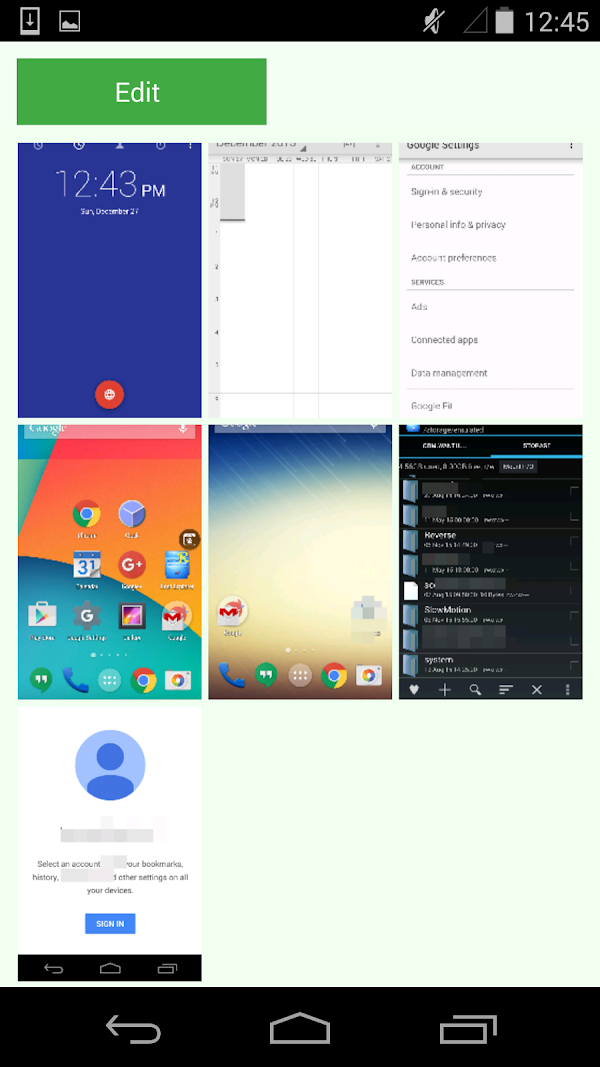
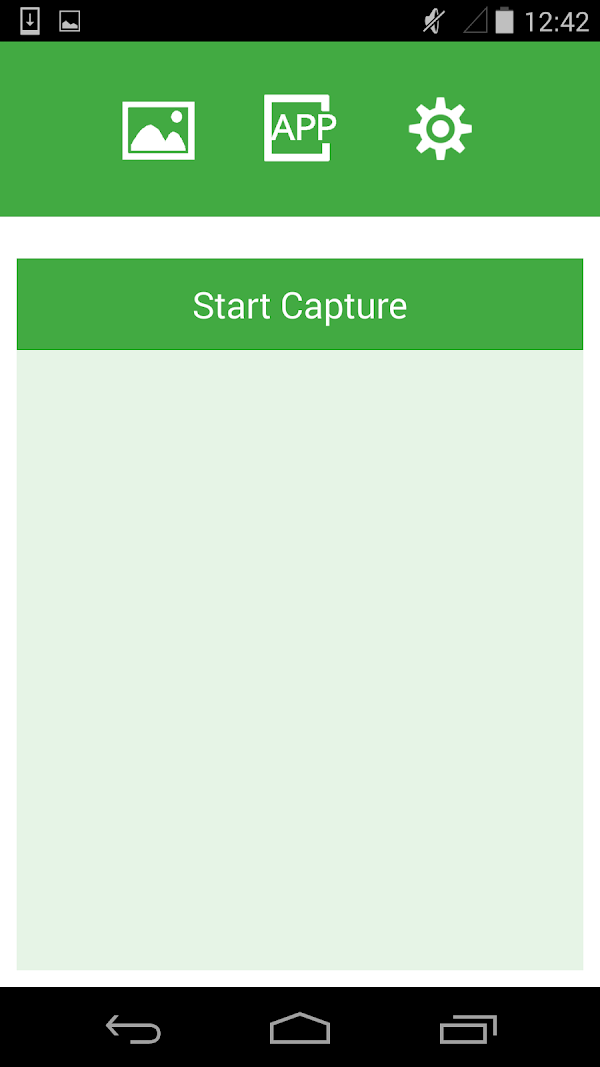
Screenshot is a free screenshot tool designed for Android devices, developed by Geeks.Lab.2015. It covers basic screenshots, image management, simple editing, quick sharing and other aspects. Unlike many complicated screenshot tools, Screenshot takes "simple and practical" as its core concept, with a simple interface and almost no learning cost. It can be used directly after installation.
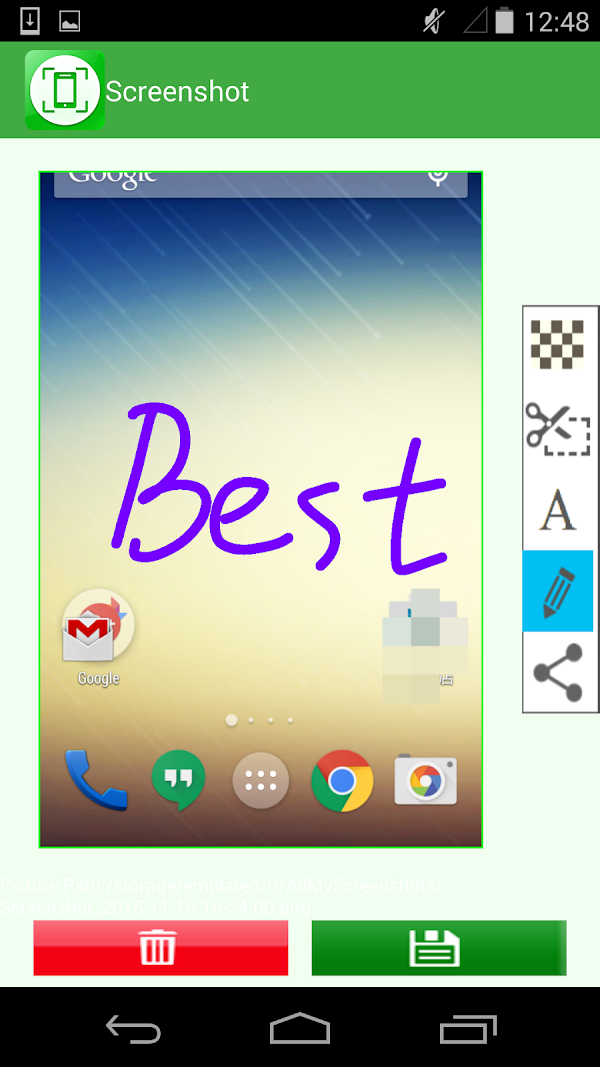
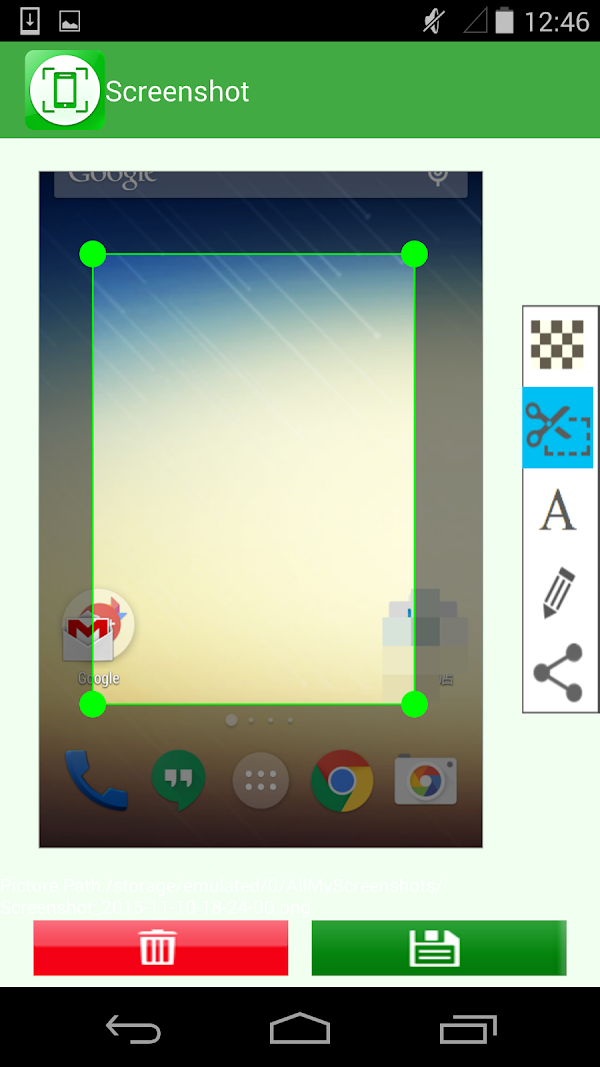
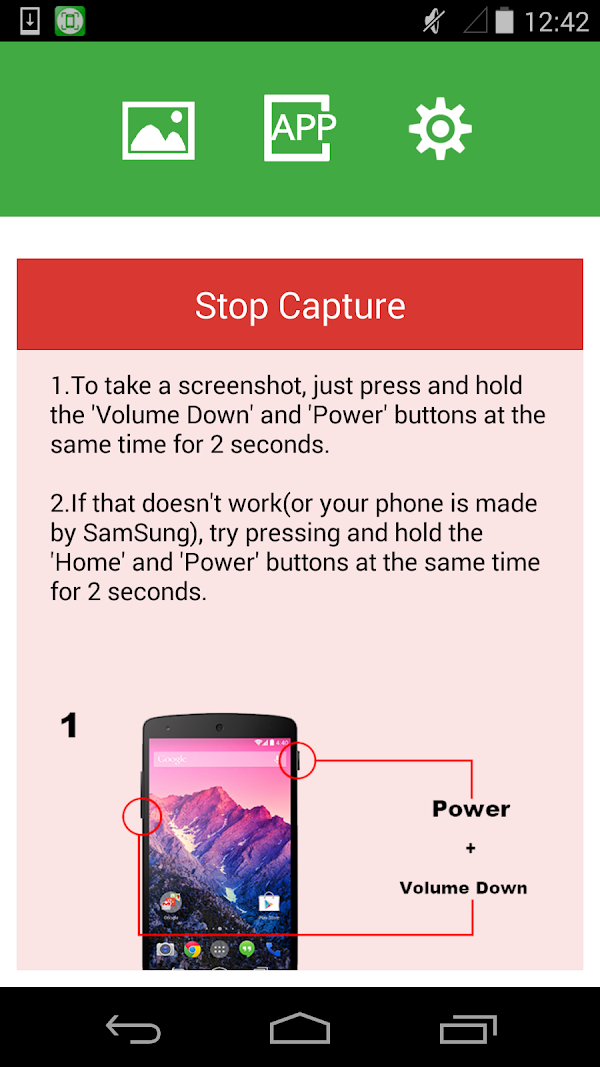
The application supports screenshots in a variety of ways, such as key combinations, floating buttons, status bar shortcuts, etc., and has strong adaptability. After taking a screenshot, the user can immediately enter the editing interface to annotate, crop, add text, mosaic and other operations, or choose to save it locally or share it quickly through WeChat, email and other methods.
App Store Performance
Screenshot apps perform steadily on the App Store, with popular tools like Screenshot Easy and Screen Master receiving high ratings (4.5+ stars). Users praise their ease of use, long screenshot support, and quick editing features. These apps consistently rank well in utility categories and maintain strong download numbers.
Screenshot Pros and Cons
Pros:
1. Quick to get started, low threshold to use
No complicated settings are required, you can use it directly after downloading and installing, and it is also very friendly to non-professional users.
2. Practical but not bloated
Unlike many "all-round" screenshot software, Screenshot does not pursue function stacking, but only provides users with the most commonly used and core screenshot and editing capabilities, maintaining the efficiency and simplicity of the application.
3. Good adaptability
The application can run well in Android 5.0 and above systems, has strong compatibility, is not picky about devices, and is suitable for old or entry-level models.
4. Stable user reviews
In the Google Play app store, Screenshot has more than 5 million downloads and a score of more than 4.4 points.
Cons:
1. Basic functions
Screenshot's editing function is relatively simple, lacking advanced functions such as smart annotation, OCR text recognition, scrolling long screenshots, cloud synchronization, etc., and cannot meet the needs of users with higher requirements for screenshots.
2. Does not support screen recording
Compared with some applications that integrate screen recording + screenshot integration, Screenshot is limited to static screenshots, does not support video recording or animated image generation, and is limited in applicable scenarios.
3. Lack of multi-language support
Although the interface is simple and clear, Screenshot is mainly aimed at English users. Currently, it does not provide a complete Chinese or other language localization interface, which may cause some non-English users to have difficulty understanding.
4. Some devices have permission restrictions
On some brands of mobile phones, users need to manually enable floating window permissions and background running permissions, which may be difficult to use during the first installation.
Screenshot Reviews
Screenshot, developed by Geeks.Lab.2015, is a screenshot tool with clear positioning, focused functions, and easy operation. It is very suitable for Android users who have basic needs for screenshot functions. Its core advantages are: lightweight, no resources, no ads, and easy to use. For users who need to efficiently record screen content, do simple editing and sharing, it is a very cost-effective choice.
However, for users with higher requirements, Screenshot's functions may be slightly insufficient. Such users can consider more comprehensive alternatives such as Screen Master, Snagit or Microsoft Clipchamp.
In general, Screenshot is a screenshot tool that is "easy to use and easy to use after a long time", suitable for most ordinary users to use for a long time. In the mobile application market that pursues both lightness and practicality, it has won a good reputation with its stable and focused style, and also demonstrated the exemplary value of small and beautiful tool applications.

Editor's Reviews
The Description of Screenshot
Screenshot is a type of mobile application that helps users quickly capture screen content. It is widely used in Android, iOS systems and desktop platforms (such as Windows, Mac). They can help users save important information, operation records, social chats, web content, software interfaces, etc., for subsequent viewing, sharing or archiving.
Compared with the built-in screenshot function of the operating system, professional Screenshot usually provides more customization options, including screenshot area selection, delayed screenshot, scrolling screenshot, editing annotation, watermark addition, image format conversion, cloud synchronization and other functions. Some advanced screenshot tools also integrate OCR text recognition, video screen recording, fast sharing on social platforms and other capabilities, so that screenshots are not limited to "saving", but also have the functions of efficient dissemination and secondary creation.
On mobile devices, Screenshot can trigger screenshots through gestures, floating balls, shortcut keys, shaking devices, etc., to improve the convenience of use. On the computer side, users can quickly take screenshots through shortcut key combinations, software floating bars or right-click menus.
App Store Performance
Screenshot apps perform steadily on the App Store, with popular tools like Screenshot Easy and Screen Master receiving high ratings (4.5+ stars). Users praise their ease of use, long screenshot support, and quick editing features. These apps consistently rank well in utility categories and maintain strong download numbers.
Screenshot Pros and Cons
Pros:
1. Rich functions, beyond the system's built-in functions
Professional Screenshots provide customized screenshot functions, such as scrolling long screenshots, area selection, window recognition, etc., which greatly improve practicality.
2. Integrated image editing tools
Most Screenshots have built-in simple image editors that support functions such as graffiti, arrows, text, masking, mosaics, etc., which are convenient for users to quickly mark key points after taking screenshots.
3. Support cloud storage and sharing
Many screenshot tools can synchronize screenshots to the cloud (such as Google Drive, Dropbox, etc.), and support one-click generation of links to share to social media, WeChat, email, etc., which greatly facilitates file management and information dissemination.
4. Users can easily operate through custom shortcuts or gestures to improve screenshot efficiency, especially for users who need to take screenshots frequently, such as teachers, developers, designers, etc.
Cons:
1. Some functions require payment or advertising interference
Many Screenshotlications provide advanced functions that need to be unlocked through subscriptions, and the free version is often accompanied by pop-up ads, which affects the experience.
2. There may be privacy issues
Some screenshot software requires reading files or accessing the network. If the developer does not encrypt or upload the screenshot data, there may be a risk of privacy leakage.
3. Compatibility issues
In some systems or device models, the Screenshotlication may conflict with other applications, resulting in failure to take screenshots normally, especially in high-security permission applications.
4. High resource usage
Some Screenshotlications have too many integrated functions, occupying a large amount of system memory and power during operation, which may affect device performance.
Screenshot Reviews
Screenshot is an indispensable practical tool in modern digital life, especially suitable for scenarios such as high-frequency information acquisition, work communication and learning records. They can not only quickly capture screen content, but also integrate powerful editing and sharing functions, greatly improving user efficiency and convenience. However, users should also pay attention to permission control, privacy protection and reasonable selection of software sources to avoid resource waste or data security risks caused by excessive integration of screenshot functions. Choosing a Screenshot that suits your needs can greatly optimize digital information management and daily workflows.
More App





















Reviews